

Reading the row
- The balance turns red under 10 and orange under 20; above that it is ordinary text.
- The pill is the only coloured band on the row: orange for peak hours, green for off-peak.
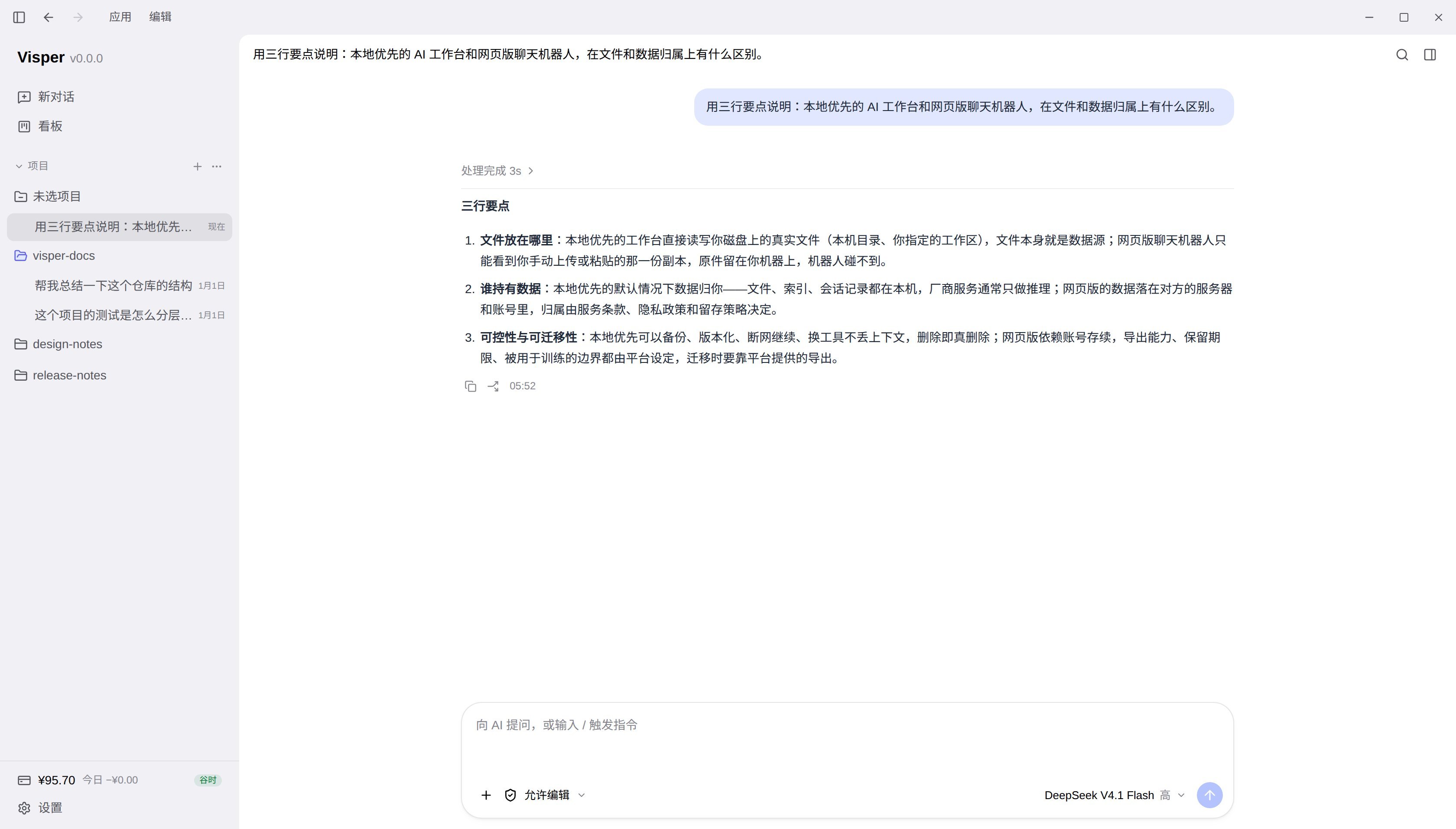
- If the sidebar is narrow, only the “today” part is shortened. The balance and the pill never shrink.
Refreshing it
Click anywhere on the row to read the balance again; the icon at its left turns into a spinner while that request runs. Repeated clicks while it is already reading are ignored. You do not have to click, though — the row also refreshes on its own:- a moment after each reply finishes (the reading is taken from the finished chat);
- when you come back to the window, at most once every 30 seconds;
- every five minutes while the window is visible;
- straight away when you switch provider or model in settings.
Peak and off-peak
DeepSeek charges less at off-peak times. The pill follows your own clock, so it is right without any request: peak is roughly the working day in China time, everything else — including weekends and public holidays — is off-peak. It flips within a minute of a boundary. Long turns started in one band and finished in another are billed at the price in force when each request went out, so the “today” total can mix both.When the row is missing
The row is decided by which provider you picked, not by whether the numbers arrived:- DeepSeek with a saved key — the row is there, and it shows placeholders for a moment on the first read.
- Any other provider — there is no row, because only DeepSeek offers a balance to read.
- No key saved yet — still no row. Configure it in Settings → Models and the row appears.
What it does not count
- Only this app. Spending the same key in another client, on the web or from a script does not appear under “today”.
- No history. There is no per-day chart, no breakdown by model, and no top-up or invoice entry — this row is a glance, not a billing page.
- Deleted chats stop counting. Today’s figure is computed from the chats still on disk, so removing a chat removes its spend from the total.